Redesigning an Accessible Font Exploration Interface
DURATION
4 weeks
TEAM
Lan-Ting K, Smridhi G, Simran K, Gloria Y, Nandita M
CLIENT
Cooper Hewitt
SERVICE
Accessibility
TOOLS
Figma, Voice Over, Hume AI
Long Story Short
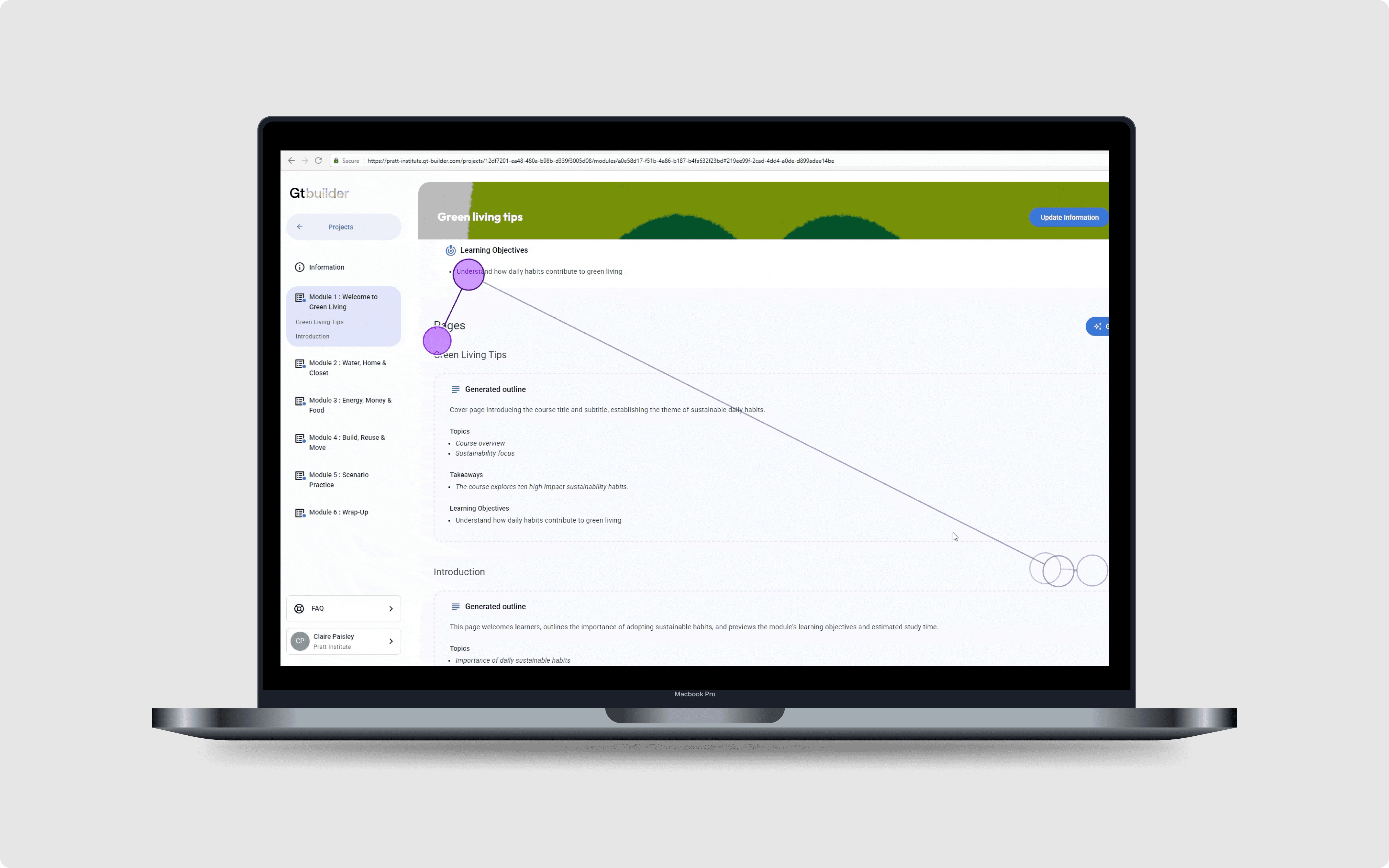
Bungee is a chromatic display font in Cooper Hewitt's digital collection, but its web-based tester was built entirely around visual interaction, leaving users with visual impairments unable to engage with it.
In this project, I redesigned the interface to meet WCAG standards, replacing inaccessible controls with keyboard-navigable alternatives and adding audio feedback to turn a visual-only experience into a multisensory one.
Outcome
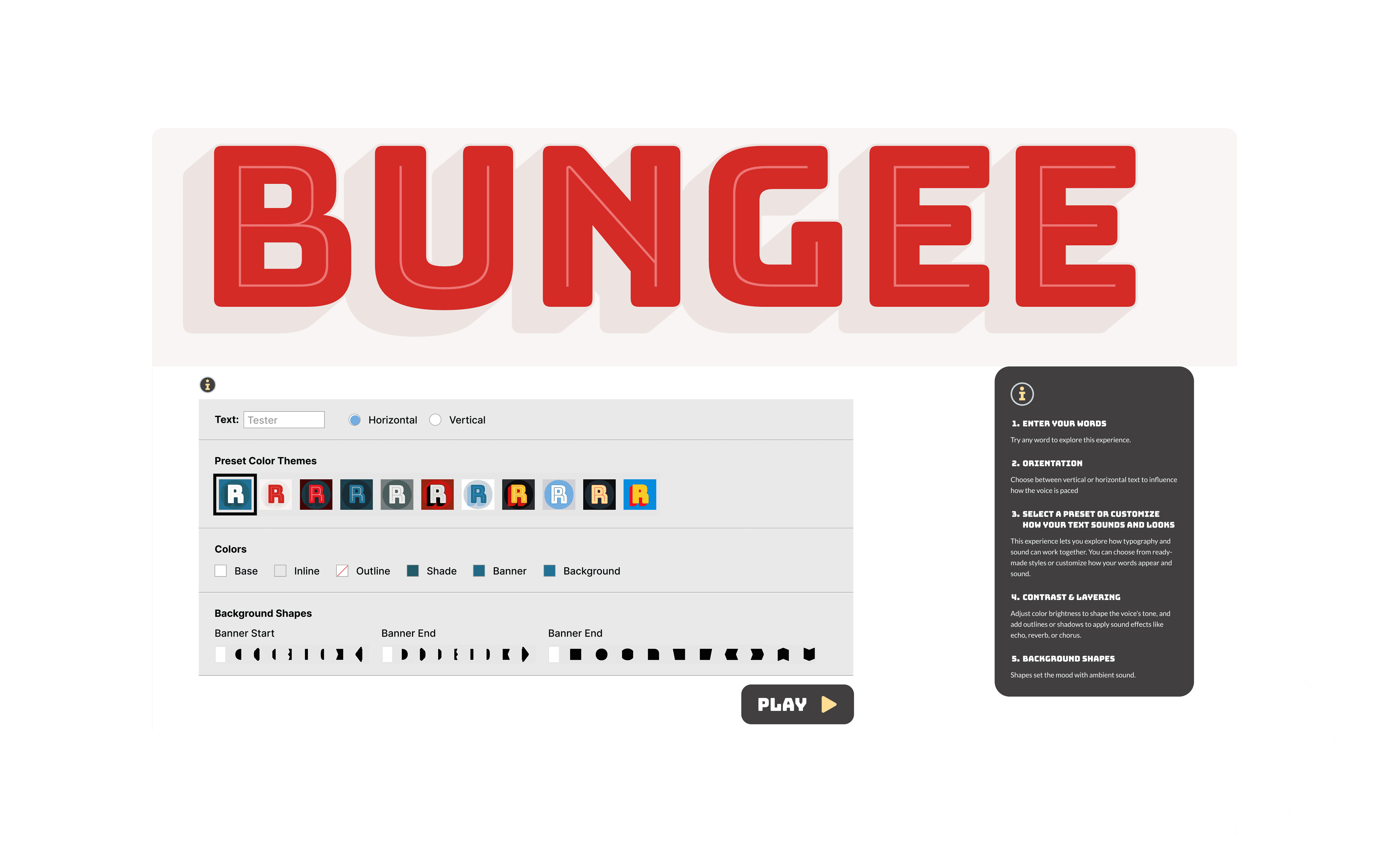
Unfolded Control Panel
Simplified the interface by removing unnecessary collapsible sections to improve visibility and reduce interaction steps.
Accessible Color Picker
Replaced the default color picker with a swatch-style interface that supports keyboard navigation and screen reader access.
Guided Tutorial
Designed contextual onboarding for both first-time and returning users, with support for hover, focus, and an optional tutorial panel.
From Visual to Multisensory
Introduced audio feedback to let users perceive typographic changes not only visually, but also through sound.
Problem
A font tester that only works if you can see it
Bungee is a modular, chromatic display font in Cooper Hewitt's digital collection. Its web-based tester lets users layer colors, change orientations, and create typographic compositions, but every interaction relies on visual input. Users with visual impairments have no way to engage with it. With nearly 20 million Americans affected by visual impairments, this is a significant gap in museum digital accessibility.
Design Decision
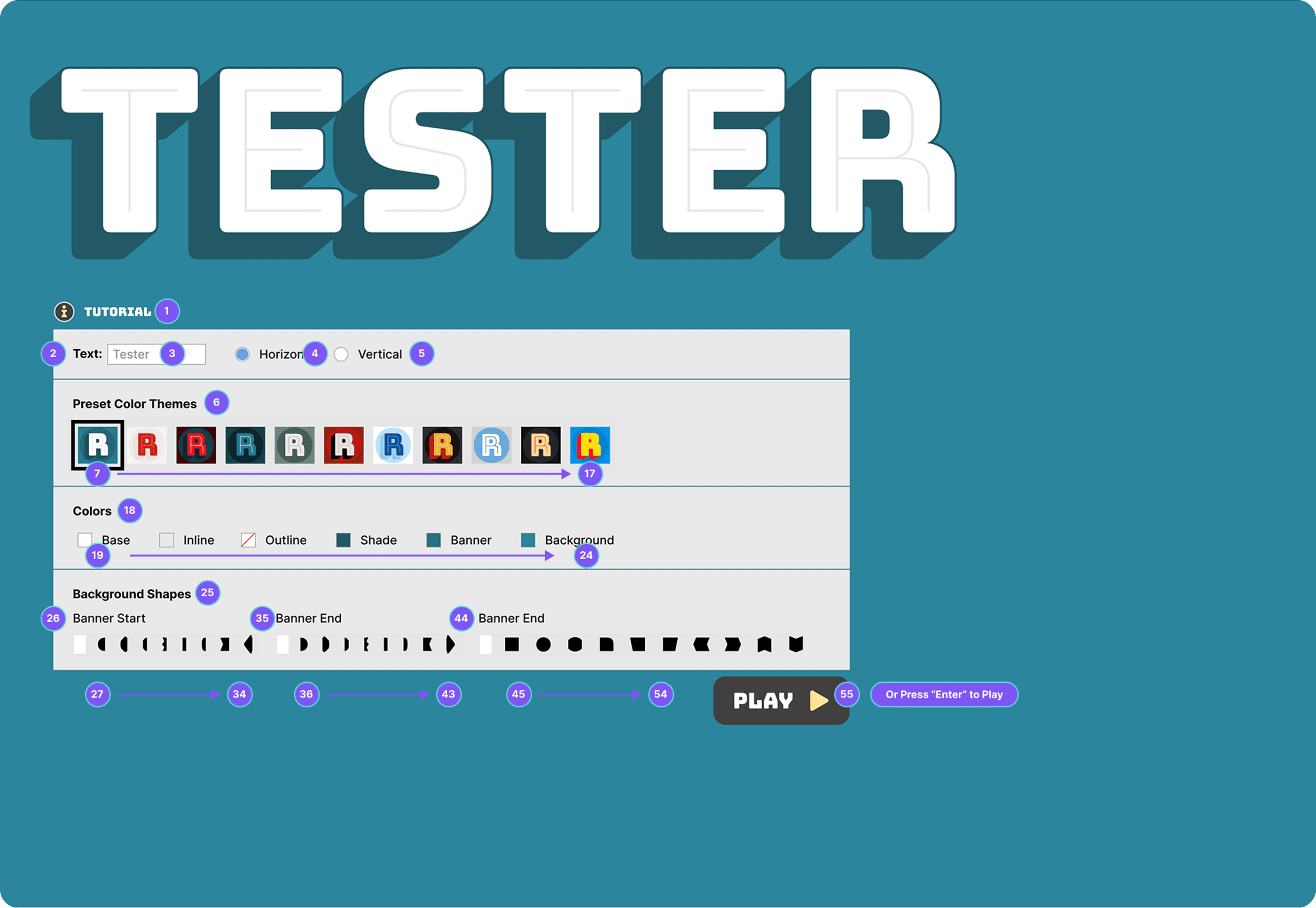
Unfold the control panel for keyboard access
The collapsed panel required extra clicks and couldn't be navigated by keyboard. I unfolded it, mapped a logical tab order, and wrapped the interface in a semantic <form> so users can trigger actions without tabbing through every element.
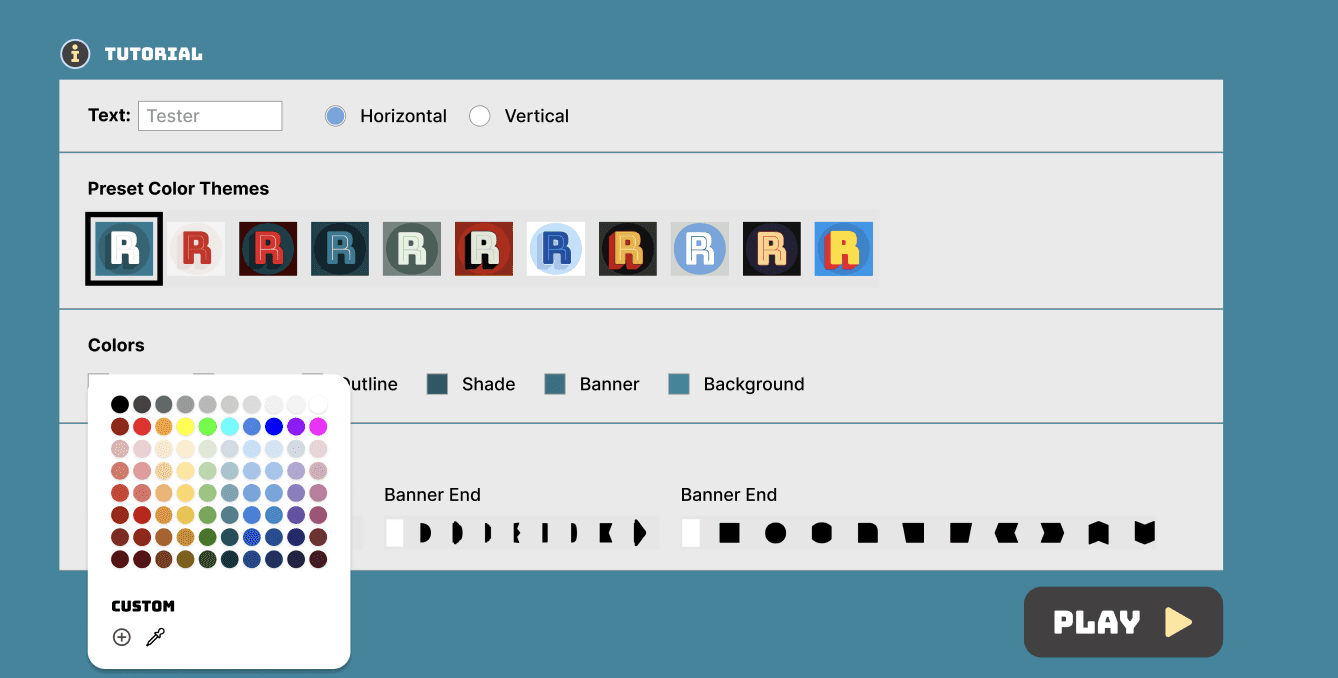
Replace the color picker with labeled swatches
The original picker relied on dragging within a visual spectrum, making it impossible to navigate without sight. I replaced it with a labeled swatch grid and added HEX/RGB input for custom colors.
Add audio to bridge the visual gap
Descriptions alone can't capture the feel of a visual design. Audio feedback lets users hear how the font changes as they adjust parameters.
Guide every visitor through onboarding
Interactive digital works aren't always intuitive for museum visitors. I designed a contextual tutorial triggered on both hover and keyboard focus, with an optional panel for returning users.
Conclusion
Beyond the screen, beyond the visual
This project was a unique opportunity for me to design within a museum context. While I truly enjoyed creating a multisensory experience, the process also revealed areas for improvement that I look forward to exploring in future projects.
Here are some future steps: